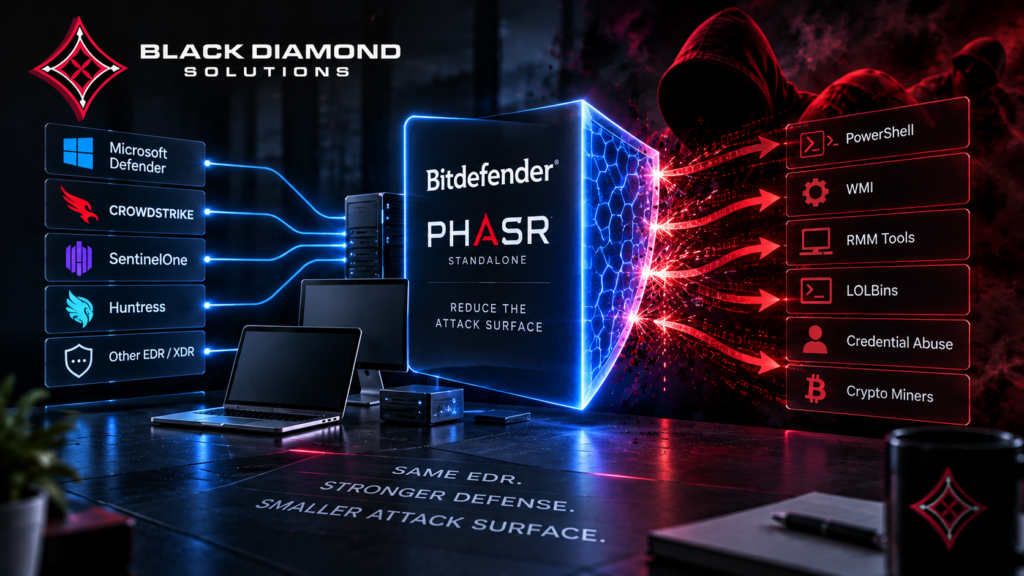
You’ve already chosen your EDR platform. You don’t want to replace it.
However, you may still face living-off-the-land attacks, unused admin tools, and a growing attack surface.
Fortunately, there is a direct way to add another layer of protection: Bitdefender PHASR Standalone.
With PHASR, you can add attack surface reduction alongside your current security tools. Therefore, you can keep your EDR, EPP, or XDR platform in place.
In this guide, we’ll explain what PHASR Standalone does, how it works with your current tools, and how you can buy and deploy it.
What Is Bitdefender PHASR Standalone?
PHASR stands for Proactive Hardening and Attack Surface Reduction. In simple terms, it is a Bitdefender security tool that learns normal user and device activity.
Once PHASR learns that activity, it can limit actions that do not match normal behavior. As a result, attackers have fewer trusted tools and actions to use.
In particular, PHASR focuses on threats that some EDR platforms may not stop on their own. These threats include Living-Off-the-Land binaries, remote tools, crypto miners, tampering tools, and piracy software.
Bitdefender first offered PHASR through its GravityZone Enterprise, MDR, and MSP products. Later, Bitdefender released a standalone version.
With this standalone option, you can buy PHASR as a separate license. You can then install it alongside your current endpoint security tools.
For example, you can keep CrowdStrike, SentinelOne, Microsoft Defender, Huntress, or another EDR platform. Meanwhile, PHASR adds a separate layer that focuses on attack surface reduction.
How Proactive Hardening PHASR Works With Your Existing EDR or EPP
No uninstall required. First, PHASR Standalone uses its own Bitdefender Endpoint Security Tools (BEST) agent.
The agent works alongside your current antivirus, EDR, or EPP platform. Therefore, you don’t need to remove your existing security software.
Cross-platform coverage. In addition, PHASR supports Windows 10 and later, Linux, and macOS.
This support lets businesses use the same attack surface reduction approach across different types of devices.
A learning period comes first. After you install PHASR, it starts learning normal activity.
Typically, this learning period takes about 30 to 60 days. However, the exact time can vary based on your users, devices, and daily activity.
During this period, PHASR watches activity. At the same time, it learns what normal behavior looks like before it suggests restrictions.
There is one important difference for Bitdefender EDR users. When PHASR works with Bitdefender EDR, it can use past EDR data.
As a result, the learning period may drop to only a few days. Standalone PHASR does not have that past Bitdefender EDR data.
Because of this, the full learning period will usually apply to standalone deployments.
One management console. In addition, you can manage PHASR through the GravityZone Control Center or API.
From there, security teams can review activity, check recommendations, and change settings. At the same time, they can keep their main EDR configuration in place.
Room to grow. If your needs change later, you can move to the full Bitdefender GravityZone suite.
For example, the upgrade can add PHASR, next-generation antivirus, EDR, and other GravityZone features.
Who Should Consider PHASR Standalone?
Overall, PHASR Standalone can fit several common business needs.
- You want to keep your current EDR.
Instead of changing vendors, you can add another layer for behavior and attack surface reduction. - You’re still under an EDR contract.
In this case, PHASR can work with your current platform. Therefore, you don’t have to wait for your next renewal. - You’re an MSP with different EDR platforms.
For example, PHASR can work across different client environments. As a result, every customer does not need to use the same EDR vendor. - You need stronger security controls.
In addition, PHASR includes Risk Management features. These features can help you review attack surface risks and security recommendations.
How to Buy Bitdefender GravityZone PHASR Standalone
The buying and setup process usually follows six steps. First, confirm your environment.
- First, confirm your environment.
Count your endpoints and check your operating systems. For example, include Windows, Linux, and macOS devices. Also note your current EDR or EPP platform. - Next, choose a buying channel.
You can buy PHASR through Bitdefender sales, a distributor, a marketplace, or an authorized Bitdefender Gold Partner. - Then, request an itemized quote.
Pricing can depend on endpoint count and contract length. Therefore, check what the quote includes before you sign. - After that, deploy the package.
PHASR uses its own installation package. You can deploy it through GravityZone Control Center or RMM tools. - Next, allow the learning period.
Plan for about 30 to 60 days of behavioral learning. During this time, PHASR studies normal activity in your environment. - Finally, review the recommendations.
PHASR can suggest actions such as Restrict access or Allow access. Afterward, review these suggestions and update them as your environment changes.
Ready to Buy Bitdefender PHASR Standalone?
Black Diamond Solutions is a Bitdefender Gold Partner and US Partner of the Year.
In addition, the team can check compatibility with your current EDR. They can also provide an itemized quote and help with setup.
What to Expect After You Deploy PHASR
Buying and installing PHASR Standalone is only the first step.
Instead, the main value comes from the learning period and the recommendations that follow.
During this time, PHASR maps user and device behavior. It also creates security recommendations.
Depending on your settings, the tool can restrict risky access automatically. Alternatively, it can flag the activity for review.
Your team should review the Risk Management dashboard. In addition, someone should check recommendations and update policies as your business changes.
For that reason, PHASR should not be treated as a simple “buy it and forget it” product.
Instead, ongoing review helps you get more value from the tool.
For more information about PHASR and how it works with your current EDR, visit BDS’s Bitdefender PHASR page.
Why Buy Through a Gold Partner?
Bitdefender sells PHASR Standalone through several channels. These include direct sales, distributors, marketplaces, and approved partners.
However, a Bitdefender Gold Partner can help with pricing, licensing, setup, and ongoing support.
Black Diamond Solutions is a Bitdefender Gold Partner. In addition, the company was named Bitdefender’s US Partner of the Year.
For example, BDS can check your current EDR stack. The team can also provide an itemized quote and help with deployment and ongoing tuning.
The Bottom Line
Standalone PHASR can help businesses that want to keep their current EDR while adding attack surface reduction.
Your EDR can continue to detect and respond to threats. Meanwhile, PHASR adds another layer that focuses on risky tools and actions.
As a result, you can improve your security without starting a full platform change.
Overall, the goal is simple: keep the tools you trust and add another layer where you need it.
Frequently Asked Questions
What is Bitdefender PHASR Standalone?
PHASR Standalone is Bitdefender’s behavioral hardening and attack surface reduction technology.
In addition, it uses an independent license. You can install it alongside third-party EPP, EDR, or XDR platforms.
Can I buy PHASR Standalone without another Bitdefender product?
Yes. PHASR Standalone is made for organizations that do not use other Bitdefender products.
Therefore, you can buy and license it as a separate product.
Will PHASR Standalone conflict with my existing antivirus or EDR?
No. PHASR Standalone uses its own agent.
Instead, the agent works alongside your current security platform. Therefore, you don’t need to uninstall your existing EDR or antivirus.
What operating systems does PHASR Standalone support?
PHASR supports Windows 10 and later, Linux, and macOS.
As a result, businesses can use the same approach across different types of endpoint devices.
How long does PHASR take to start protecting my systems?
PHASR starts with a behavioral learning period after deployment.
Usually, this period takes about 30 to 60 days before PHASR creates hardening recommendations.
However, standalone deployments usually need the full learning period because they do not have past Bitdefender EDR data.
Can I upgrade from PHASR Standalone to the full GravityZone suite?
Yes. You can move from standalone PHASR to the full Bitdefender Endpoint Security Tools suite.
For example, the upgrade can add PHASR, next-generation antivirus, EDR, and other GravityZone features.
Where can I buy Bitdefender PHASR Standalone?
You can buy PHASR Standalone through Bitdefender, distributors, marketplace resellers, or authorized Bitdefender Gold Partners.
In addition, a Gold Partner such as Black Diamond Solutions can help with licensing, setup, and ongoing tuning.
Does PHASR Standalone replace my current EDR or EPP?
No. PHASR Standalone works alongside your existing endpoint security platform.
Therefore, you can keep your current EDR or EPP while adding PHASR.
What’s included in a PHASR Standalone license?
A PHASR Standalone license includes behavioral hardening and attack surface reduction features.
It also includes Risk Management features. In addition, you can manage PHASR through the GravityZone Control Center or API.
How do I get pricing for PHASR Standalone?
Bitdefender does not publish list pricing for PHASR.
Instead, contact an authorized Gold Partner for an accurate quote. They can base the quote on your endpoint count, operating systems, and contract term.
Ready to Buy Bitdefender PHASR Standalone?
Black Diamond Solutions is a Bitdefender Gold Partner and US Partner of the Year.
In addition, the team can confirm that PHASR Standalone fits your current EDR. They can also provide an itemized quote and help with setup and tuning.
Black Diamond Solutions
- 📞 (312) 273-1830
- 📧 bds-info@blackdiamondsolutions.com
- 🌐 blackdiamondsolutions.com
Schedule Your Free Consultation
Get a PHASR Standalone Quote
See BDS’s Bitdefender PHASR Attack Surface Reduction Page
Free consultation • No obligation • Typically same-day response
Recent Posts

Attack Surface Reduction Software: A 2026 Buyer’s Guide
August 20, 2026